
Rabobank Debit Card
Access your funds whenever you need to with a Rabobank Debit Card.

Your Rabobank Debit Card, designed for everyday banking
Enjoy convenient access to your funds at home and around the world. Shop in-store, online and overseas, withdraw cash from ATMs worldwide, make contactless payments, and manage your card securely through Rabobank Internet Banking and the Rabobank Agribusiness NZ app.
You can request a Rabobank Debit Card when opening your All In One account, or at any time by contacting us. Visit our Contact Us page to find the best way to get in touch with our Client Services team.




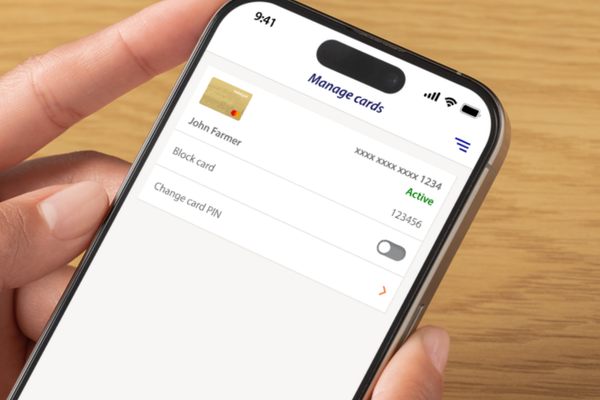
Activate your card in minutes
Getting started is easy. Once your Rabobank Debit Card arrives, activate it through Rabobank Internet Banking or the Rabobank Agribusiness NZ app.
How to activate your card & set your PIN
- Log in to Rabobank Internet Banking or the Rabobank Agribusiness NZ app.
- Select Cards from the menu.
- Choose Activate card and follow the prompts.
- Once activated, you'll receive confirmation and your card status will change to Active. You can start using your card straight away.
- You'll then have the option to set your own PIN. This will replace the PIN your card was pre-loaded with.
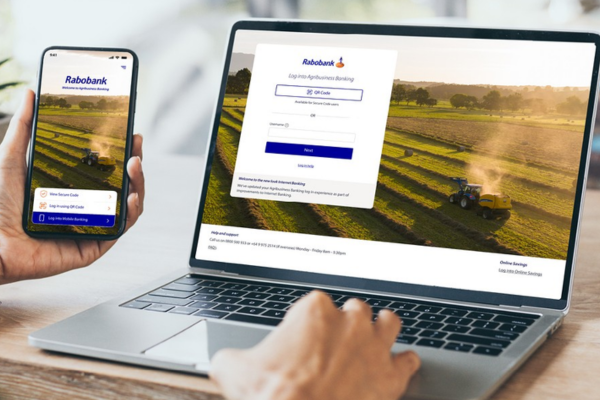
Keeping your card secure
- Sign your card immediately.
- Memorise your PIN, keep it confidential, and do not write it down or store it with your card.
- Do not send your card, or a card issued to another person, overseas. If a card needs to be sent overseas, please contact us and we will arrange this for you.
- Keep us informed of any changes to your personal details.
Lost or stolen card
- Please block it immediately through Rabobank Internet Banking or Rabobank Agribusiness NZ app to help protect your account from unauthorised transactions.
- Call us immediately using ‘Contact us’ in the Rabobank Agribusiness NZ app or on 0800 500 933 (or +64 9 975 2514 from overseas). If calling after hours follow the prompts for assistance. We are available 24 hours a day, seven days a week to support you in the event of a lost or stolen card.
View our Rabobank Debit Card Conditions of Use
We're here to help
